A Powerful, Convenient & Elegant Academic Tool for Citation
Thanks for 1.7k downloads😄!
🚀 Get Started: We have step-by-step web-docs tutorial to go through all the features for you (please check this before using the plugin!).
✨ Complete Features & Updates: See Changelog for details.
📹 Video Tutorial: 😄 Coming after this plugin gets 5000 downloads in market or this repo gets 50 stars⭐.
📱 Platform support: This plugin has been tested on Windows, Linux, Mac, and Android (certain functions may be limited on mobile).
🛠️ Installation
-
You can download it from community plugins (
Settings>Community plugins>Browseand search forequation-citator). -
Or you can download
main.js,manifest.jsonandstyle.cssfrom the latest release page and place them in.obsidian/plugins/equation-citatorin your Obsidian vault.
👋🏻 Applications & Usages
This plugin would be pretty useful if:
- You’re writing academic notes in Obsidian and need to manage numerous equations, figures, and tables efficiently with automatic numbering and cross-references
- You’re drafting research papers or technical documents in Markdown and want LaTeX-style citation with accurate numbering
- You derive equations in your notes and need to reference them throughout your derivation process or across multiple files
- You use Obsidian for school or university notes and want quick navigation to cited content without endless scrolling
- You have figures, tables, or theorem-like content in your notes that requires systematic referencing and organization
This plugin is NOT designed for:
- Citing equations or content within PDF files (PDFs are not recognized or processed by the plugin)
- Managing bibliographic references or literature citations (use a dedicated citation management plugin instead)
- Processing equations in image files or scanned documents
✨ What this plugin does
1. ⚡ Auto-number Equations & Figures by Heading Level
One-click auto-numbering support for:
- All equations / tagged equations only
- All figures / tagged figures only
- Full support for auto-updating citation numbers — add or delete equations and figures anywhere without worrying about broken numbering or citations
- Right-click to rename tags for equations and figures, with all citations updated automatically
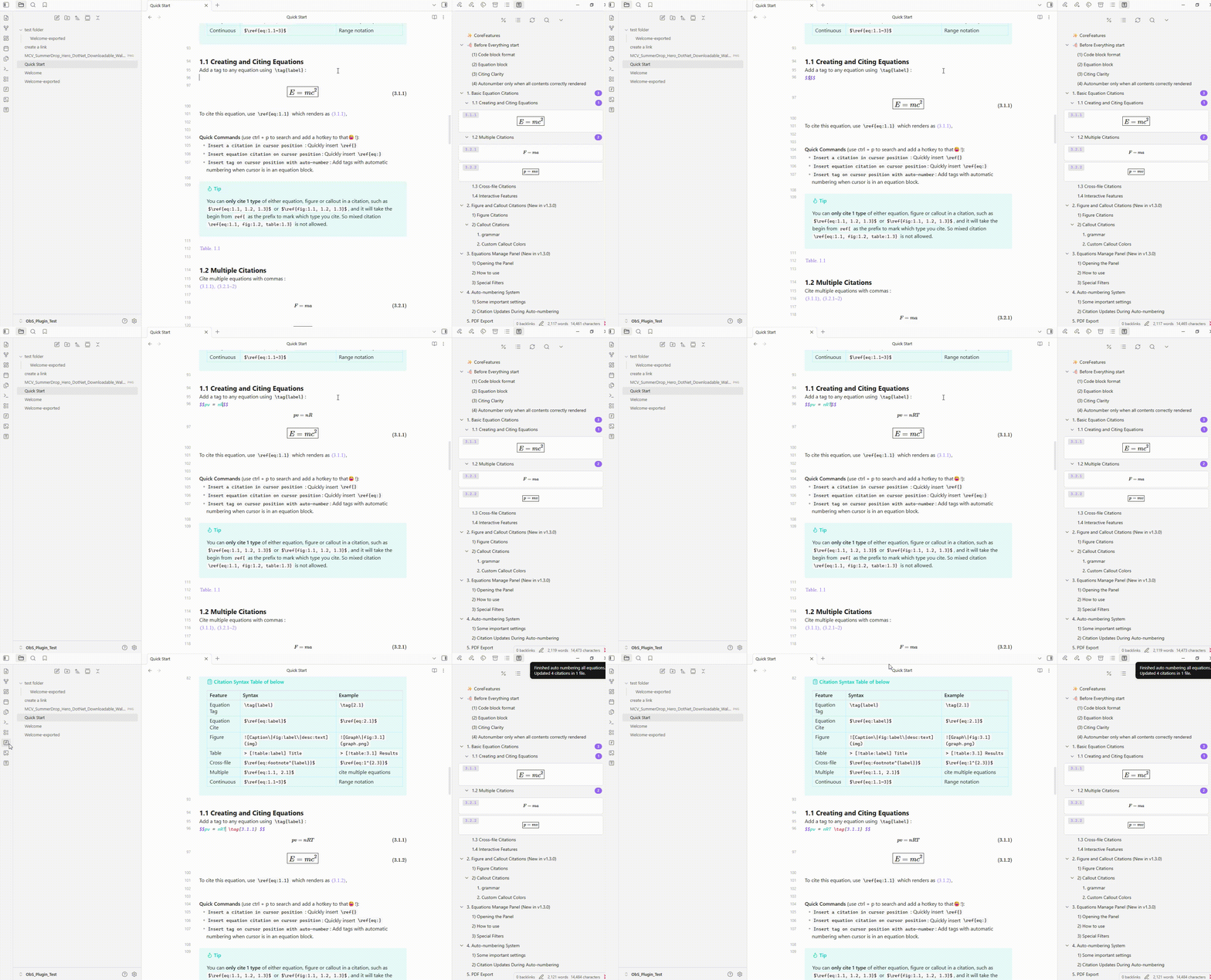
2. 🖼️ Cite Equations, Figures, Tables and Theorems
- Cite equations with
\ref{eq:tag}syntax, with full autocomplete support when typing. - Cite figures by adding a
fig:field to the image and using\ref{fig:tag}syntax. - Cite tables and theorems callout citation with fully configurable prefixes.
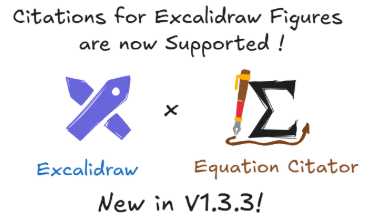
- Support for Excalidraw images and markdown section previews.
- Full support on multiple citation & continuous citation & cross-file citation.
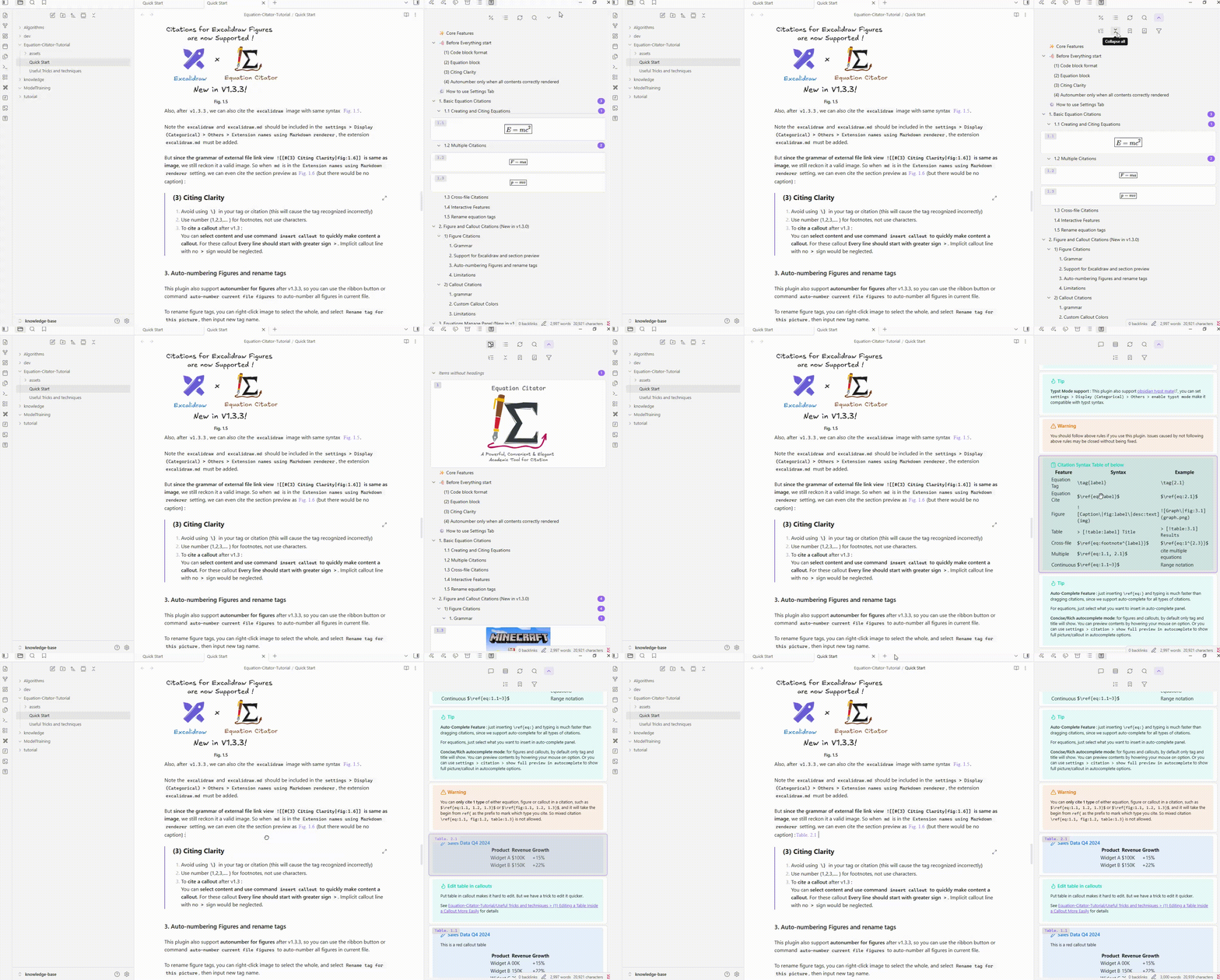
3. 🖥️ Equation Manage Panel — Browse, Jump and Cite by Drag and Drop
- Browse and cite equations, figures, and callouts by drag and drop from the manage panel
- Filter and search, filter boxed equations & tagged equations in panel.
- Drag-drop citations with all-type, cross-file support
- Right-click to copy equations directly from the panel or editor popover
- Jump to equations, figures and callouts directly from the popover and Equation Manage Panel
4. 📜 PDF Export & Web documentation support
- Run the command
Make markdown copy to export PDFto generate a properly formatted markdown file ready for PDF export.
- Correct citation and reference numbers with configurable citation colors
- Support for markdown grammar inside title/caption for figures
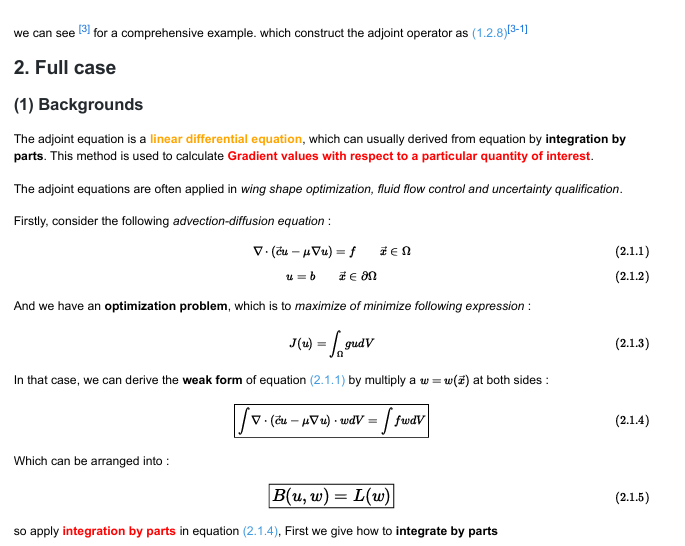
- You can build your own website using with live reference feature with this support.
- To ensure links are correctly resolved, use
Path to vault folder. - Specify a
Website notes export folderto build your documentation. - You can sync Single file, folders or entire repository to the desination folder, the citation meta-data can be preserved for rendering the preview on the website.
- We also an npm package to help you to make the elements citable in the website to make your notes to be easily deployed to a website. This can be installed by
npm i @friedparrot/equation-citator --save-dev.
🛒 Compatibility with other plugins
The following plugins often used for math are tested to be compatible with Equation Citator — you can use them together without any problem.
- Excalidraw — Excalidraw is supported in figure citation preview after v1.3.3; cite an Excalidraw picture by adding a
figfield to it just like a normal image. - Typst Mate — supports Typst-style autonumber; enable via
Settings > Categorical > Others > Enable typst mode. - Latex Suite — works seamlessly with this plugin; highly recommended for writing long and complex equations quickly.
- Completr — provides better auto-complete for LaTeX syntax.
- Quick Latex — provides features like auto-enlarge brackets.
- Better math in callouts & blockquotes — use for better math rendering inside callouts.
- No More Flickering Inline Math
🚨 Disclaimer
This plugin can edit and update files in your Obsidian vault.
Although it has been thoroughly tested on multiple versions and used daily on my own vault for several months without data loss, unexpected bugs may still occur — especially when new features are introduced.
To protect your data, I strongly recommend enabling the “File Recovery” core plugin (or keeping regular backups) before using this plugin.
While I cannot take responsibility for data loss caused by bugs or unexpected behavior, I take reports seriously and will investigate and fix any critical issues that cause data loss as quickly as possible.
🐛 Bug & Reports
If you encounter any bug, please provide the following information on the issue page:
- A description of the bug or issue, along with steps to reproduce it.
- The relevant markdown text that triggers the issue.
- Enable debug mode in the settings tab and provide the console log (
Ctrl + Shift + Iin Obsidian).
If you have suggestions or questions for this plugin, feel free to leave them on the issue page.
Since this plugin has a cache mechanism for better performance, a normal delay or a non-immediate update is expected cache-related behavior. Wait a few seconds, or re-open the file or restart Obsidian to confirm your issue is not just a cache delay.
Contributing
See CONTRIBUTING.md for development setup, commands, tests, and pull request requirements. Pull requests must target the dev-latest branch.
Support
I developed this plugin as a hobby and use it in my daily work. It’s completely free for everyone to use. Since I’m busy during school term, this plugin is often updated every several months. But the problems are actively checked and this plugin is stay actively maintained.
Thanks to @azyarashi for collaboration and substantial improvements to the plugin. I also appreciate all the users who suggested useful new features and enhancements.
This plugin has reached 16k lines of source code, which increases the complexity for issue resolution and maintenance. So, if this plugin is really helpful to you, just consider buying me a cup of ☕️: